An Approach to Design and Develop UX/UI for Smartphone Applications of Minority Ethnic Group
Alam, T., Hamid, M. M., & Rabbi, M. F.
IEEE Region 10 Conference (TENCON 2019) · 2019
Bangladesh's ~2 million tribal and ethnic minority people are largely left out of the benefits of smartphone apps: language, culture, and unfamiliar icons make popular apps hard to use, and industry does not consider them stakeholders. We studied tribal communities' smartphone usage, evaluated the UX/UI of two popular apps (bKash and Bikroy.com) from their perspective, and designed voice-first UI solutions in tribal languages.
The problem
Tribal and ethnic minority people in Bangladesh attain less proficiency in Bangla and English — the languages of most apps — and, due to cultural differences, widely-used signs and icons can be meaningless. For example, the common gear/wrench icon for "settings" is unfamiliar to communities that still use hand-made tools for looming, agriculture, and building houses. Because so few tribal users use the apps, the commercial tech industry does not find it profitable to address their needs, and the gap keeps widening.
What we did
We collected responses from tribal community members about their requirements and the UI/UX issues they face with traditional mobile applications, and interviewed tech industry professionals about tribal-centric app development. We then evaluated two popular Bangladeshi apps — bKash (mobile financial services) and Bikroy.com (classifieds) — from the perspective of tribal users, and designed user interfaces to maximize their user experience, prioritizing the communities' cultural sanctity throughout data collection.
Key results
- Culture, language, and customs of ethnic minority groups create concrete barriers to successful interaction with mainstream apps, whose developers do not consider these users as stakeholders during development.
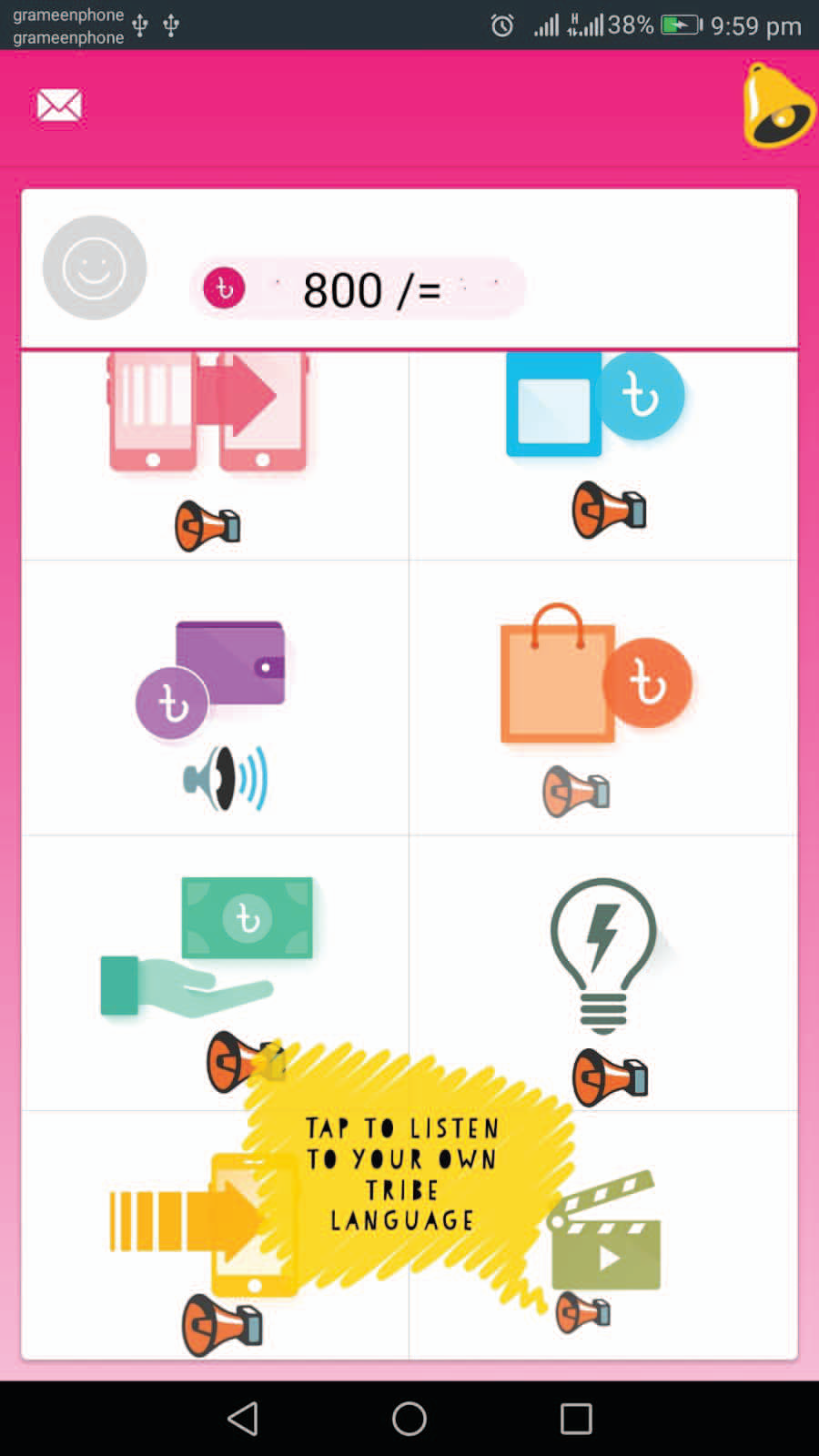
- Our proposed UX/UI designs — tap-to-listen product details in tribal languages, voice commands, voice messages for negotiating prices, and audio explanations of app icons — demonstrate a pragmatic way to remove barriers around app interaction, navigation, and reliability.
From the paper